Check Quest Details

When you open a Quest, you can see hints for Quest Completion, such as Missions, a message from the organizer, and a guide. You can also view all user Quest posts in a list or on a map via the green button in the bottom right.
Complete a Mission
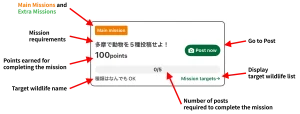
Missions have conditions set, such as target species, area, or number of posts. You can complete a Mission by finding and posting a photo of “Wildlife” that meets the conditions.
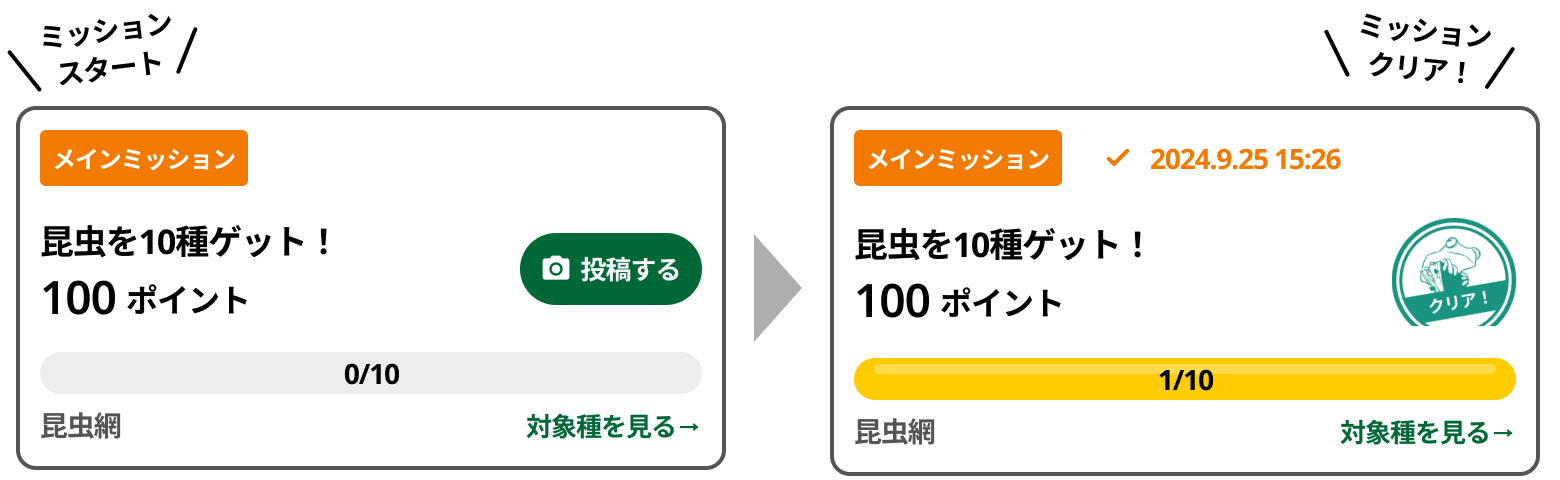
Achieve the Quest
There are two types of Missions: “Main Missions” and “Extra Missions.” Clearing all Main Missions results in Quest Completion. If you clear all Missions, including the Extra Missions, you achieve Mission Complete! and earn Bonus Points.
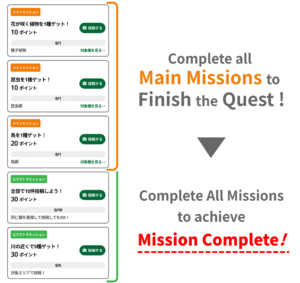
You can clear Main Missions and Extra Missions in any order. Enjoy the Quest challenge!
Earn Badges
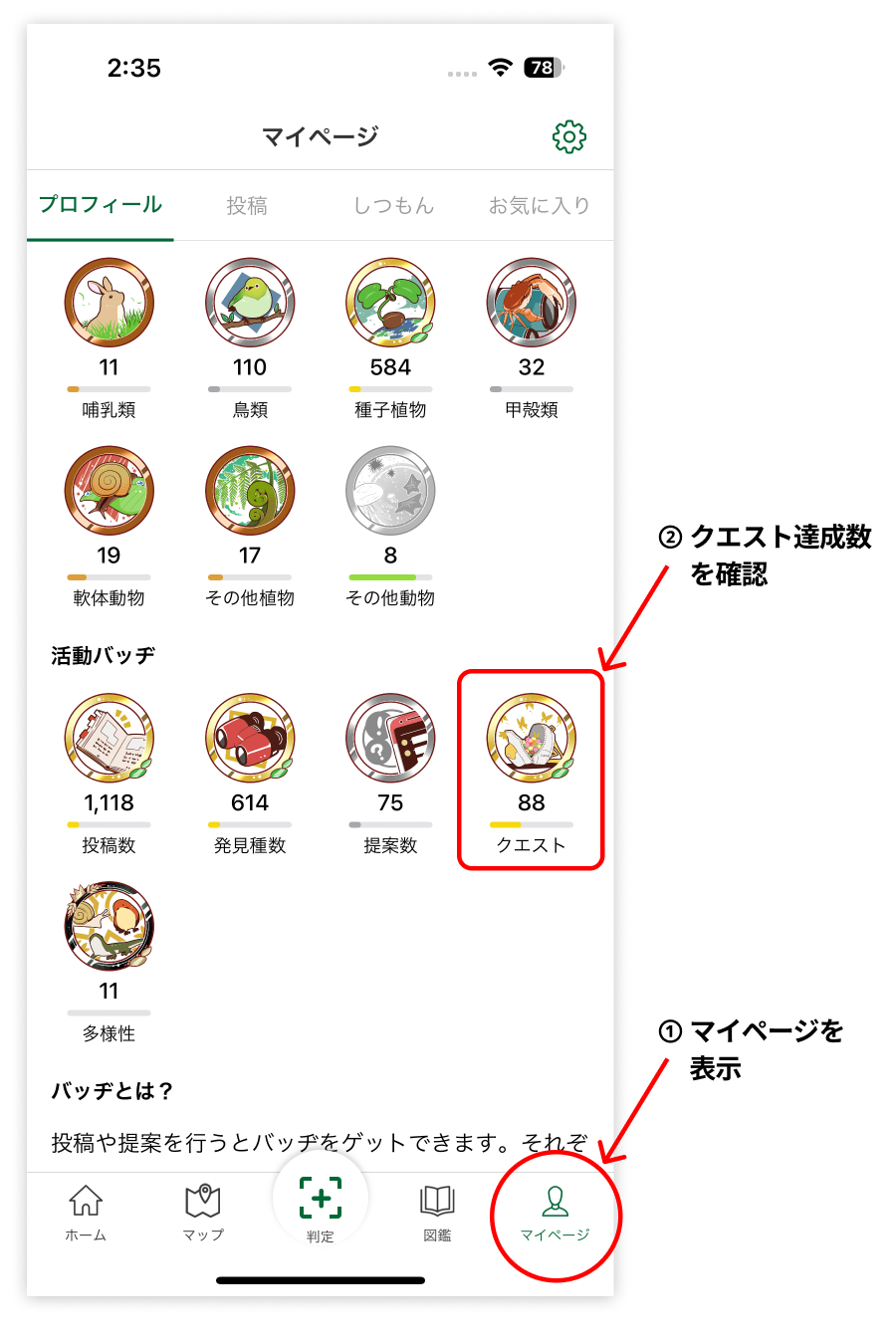
When you complete a Quest, the “Quest Completion Badge” displayed on your Home or Profile page will evolve. Clear many Quests to earn Badges!
How to Play Quests
Quest