Link your social media accounts
Settings > Account Linking > Change Linking Method
By linking accounts, you can connect one Biome account to multiple accounts from other services.
By linking with services you regularly use, you can quickly log in to Biome and use the app even if you forget your password or username, or when you change devices.
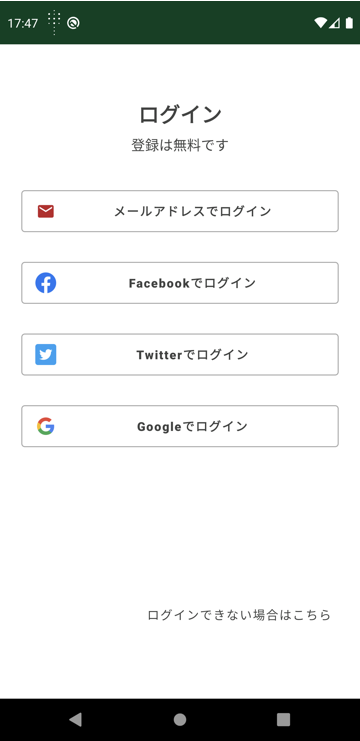
Currently, you can link accounts with Facebook, Twitter, Google, and Apple (iPhone users only).
If you already use these services, you can set up account linking immediately from the Biome app’s settings screen.
*Linking with Facebook or Twitter will not allow the Biome app to post to those SNS platforms. Also, when linking accounts, we may obtain information from your SNS account, but we only collect basic information such as your email address.
Adding Account Linking
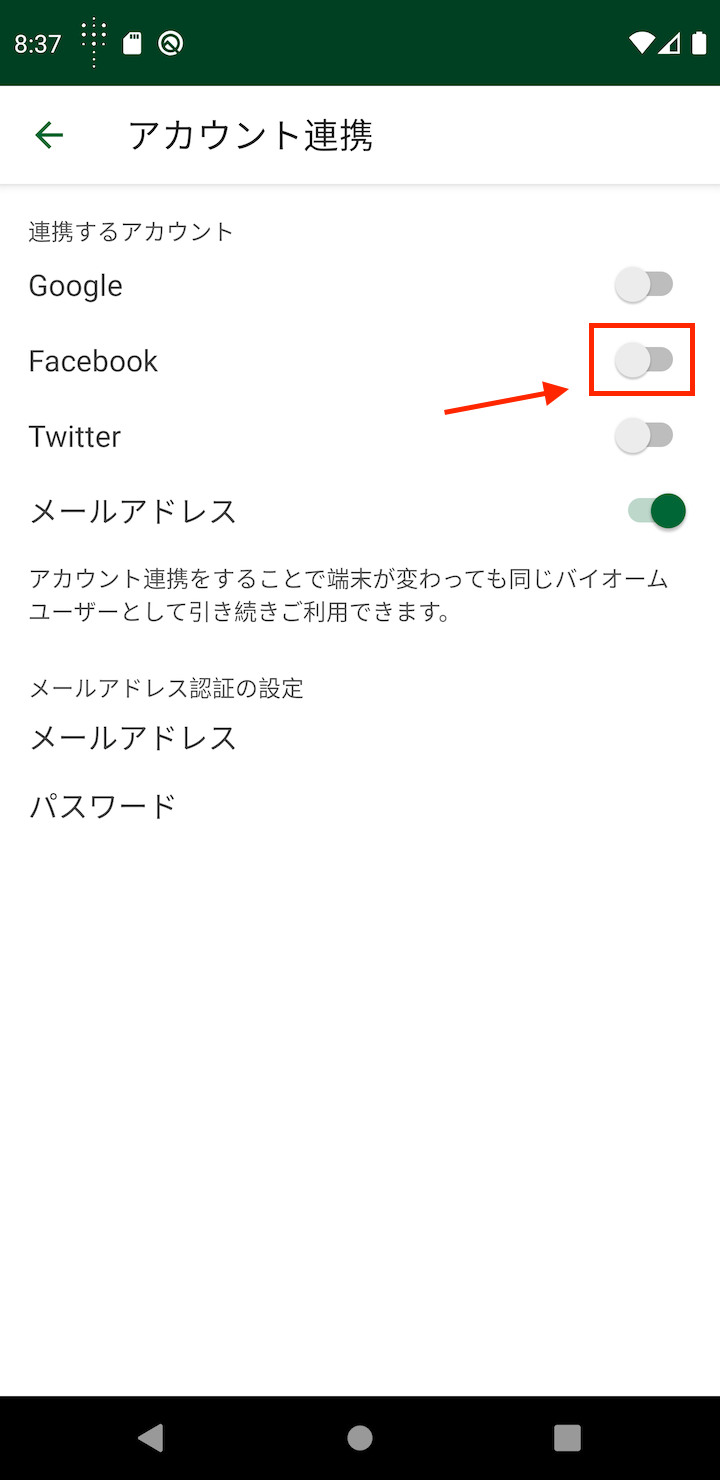
Display Settings > Account Linking screen
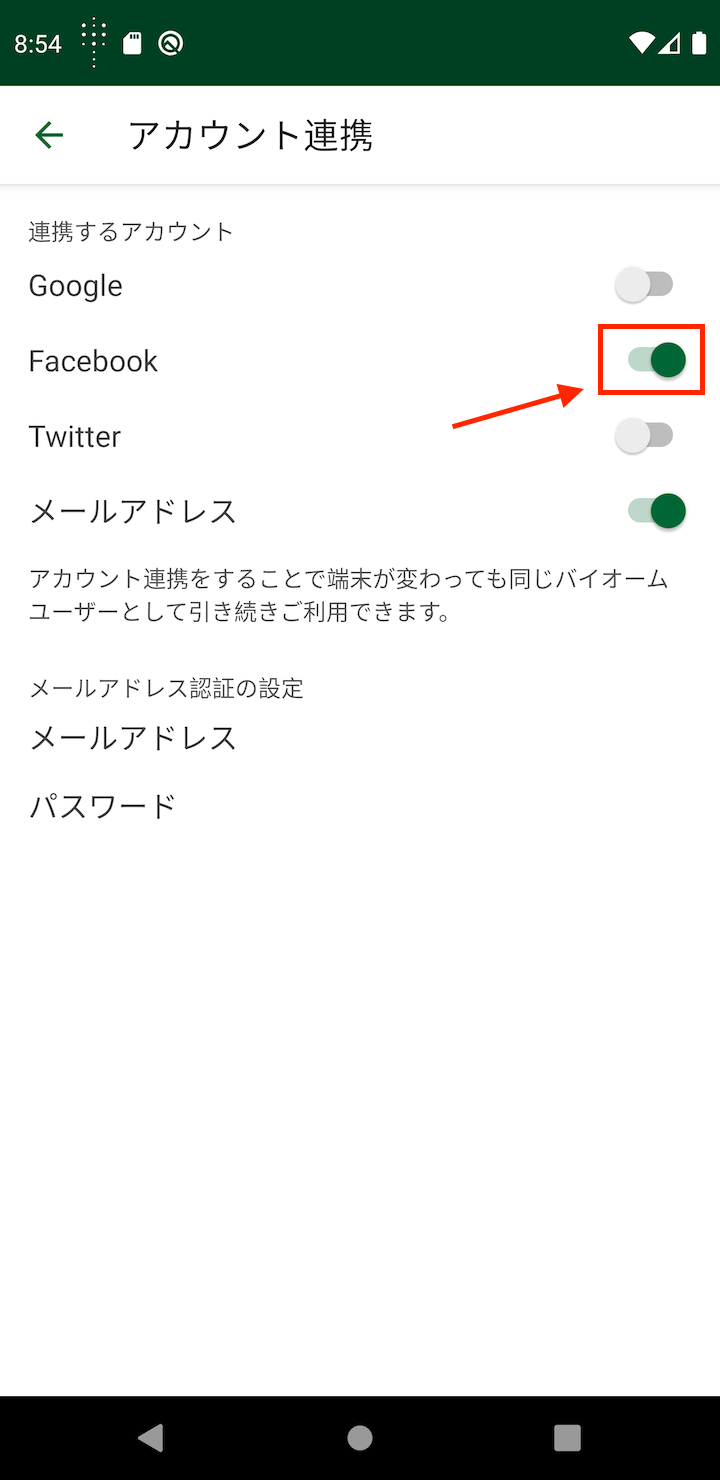
Tap the gray switch to start linking. Once the linking process is completed according to the displayed instructions, the switch will turn on and linking will be complete.
Screen shown is for Android version
Removing Account Linking
Display Settings > Account Linking screen
You can remove the link by tapping the green switch (turning it off).
You must have at least one authentication/linking method active. You cannot remove all authentication links.
Screen shown is for Android version
Changing Email Address/Password
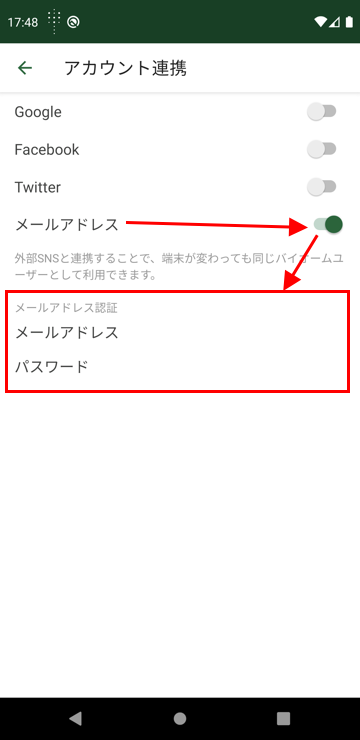
Display when email is linked
The email address and password change screen is only displayed for those who registered with an email address or have linked an email address.
Screen shown is for Android version
Changing Email Address
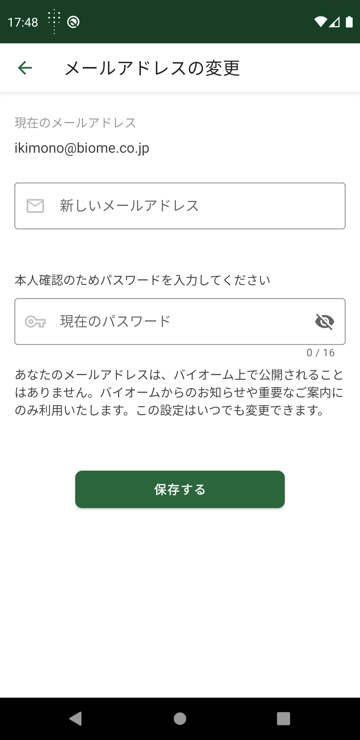
Changing linked email address
Enter your new email address and current password, then tap the button. Your current password is required for identity verification.
Screen shown is for Android version
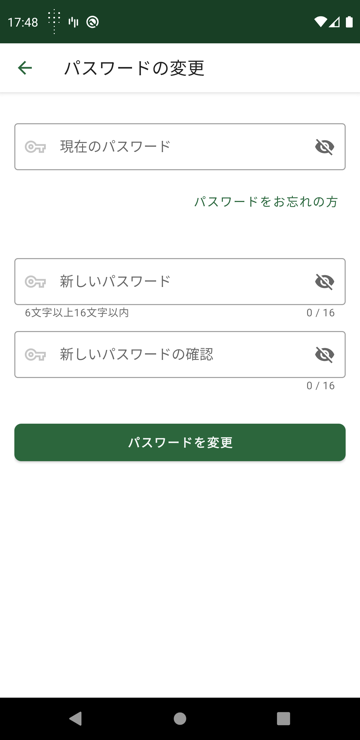
Changing Password
Changing linked password
Enter your current password and new password (in two fields), then tap the button. If you have forgotten your current password, tap “Forgot Password” to reset your password.
Screen shown is for Android version
Related Pages